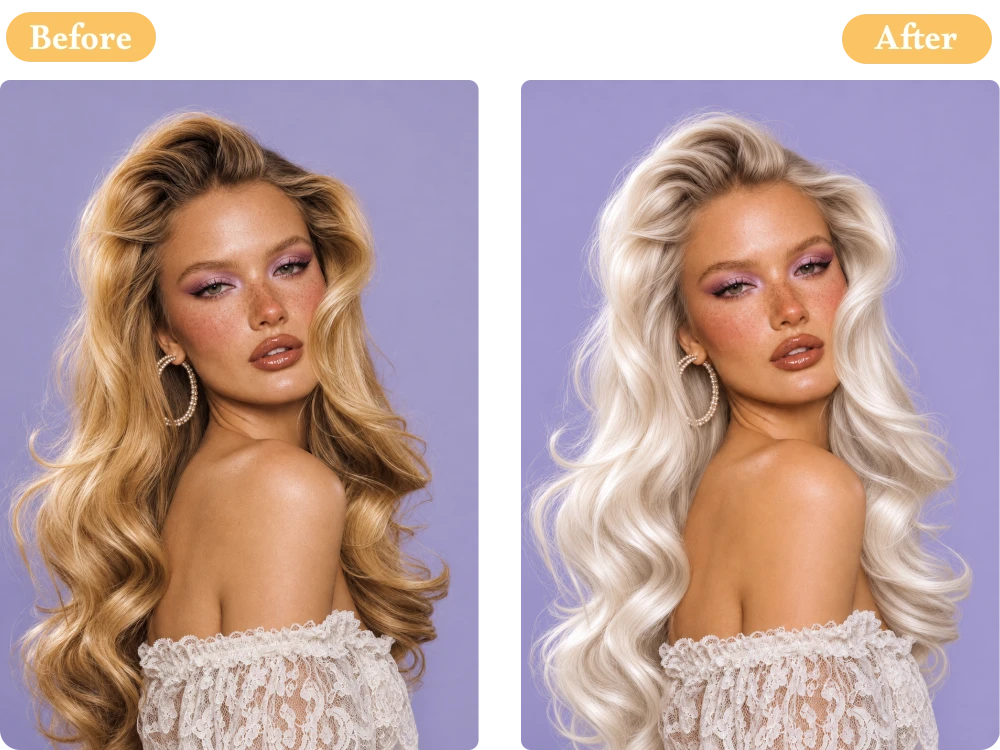
"I had a salon appointment coming up but couldn't decide between honey blonde and ash blonde. Using the AI Hair Color Changer, I compared both shades on my photo and showed my stylist exactly what I wanted."
Ethan Cole
Hair Salon Client

ImageToImage AI
Virtually try on different hair colors with AI. Explore natural shades, bold tones, and trendy looks without committing to a real dye job.
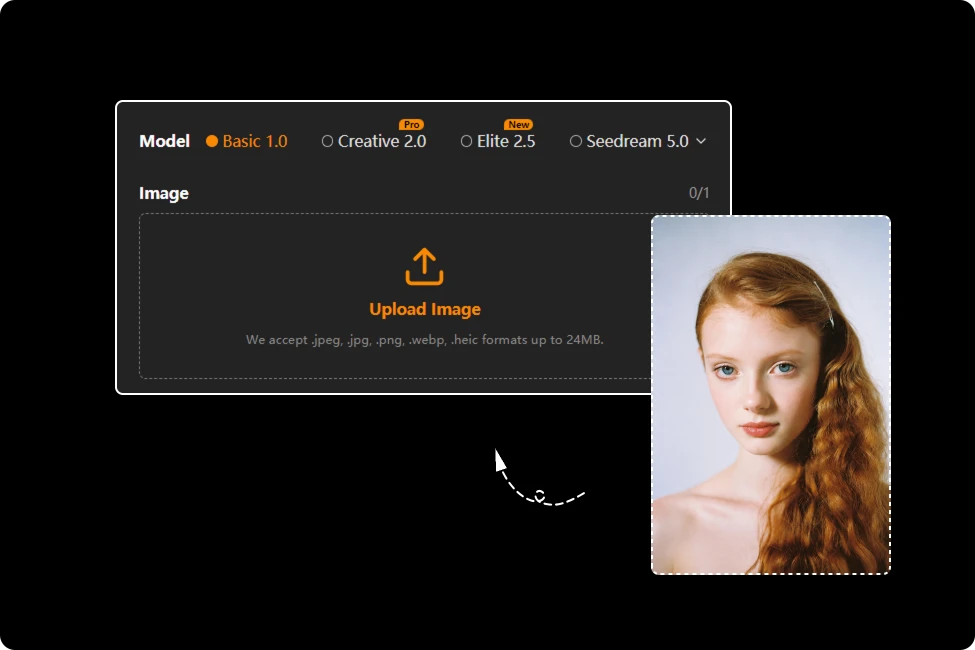
Upload your portrait in JPG, JPEG, PNG, or WEBP format. You can also add a reference image to guide your desired hair color and look.
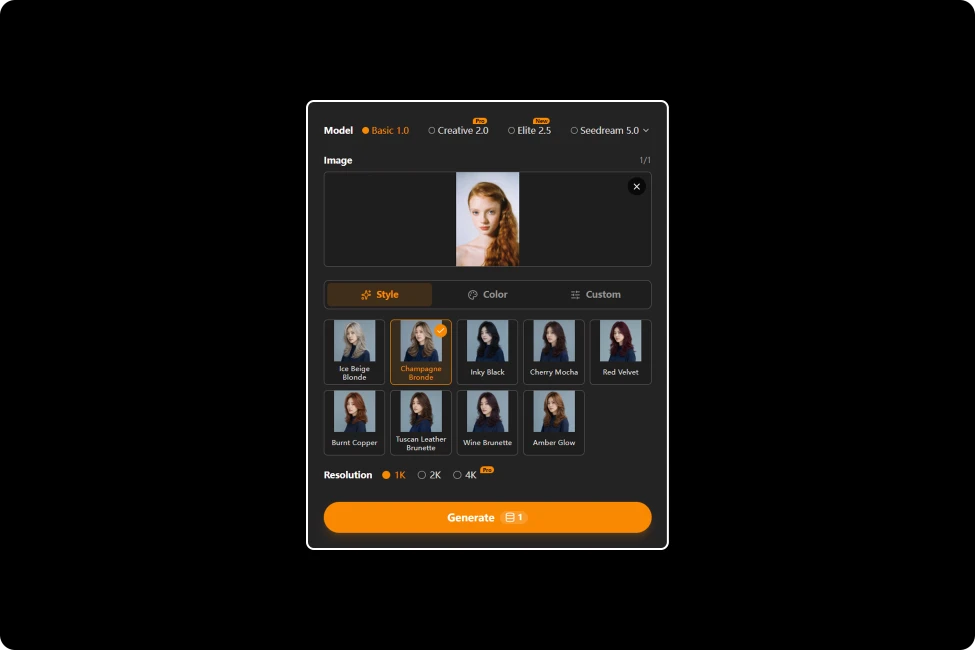
Select your preferred hair color from preset options or write a custom prompt describing your desired shade, tone, and coloring style.
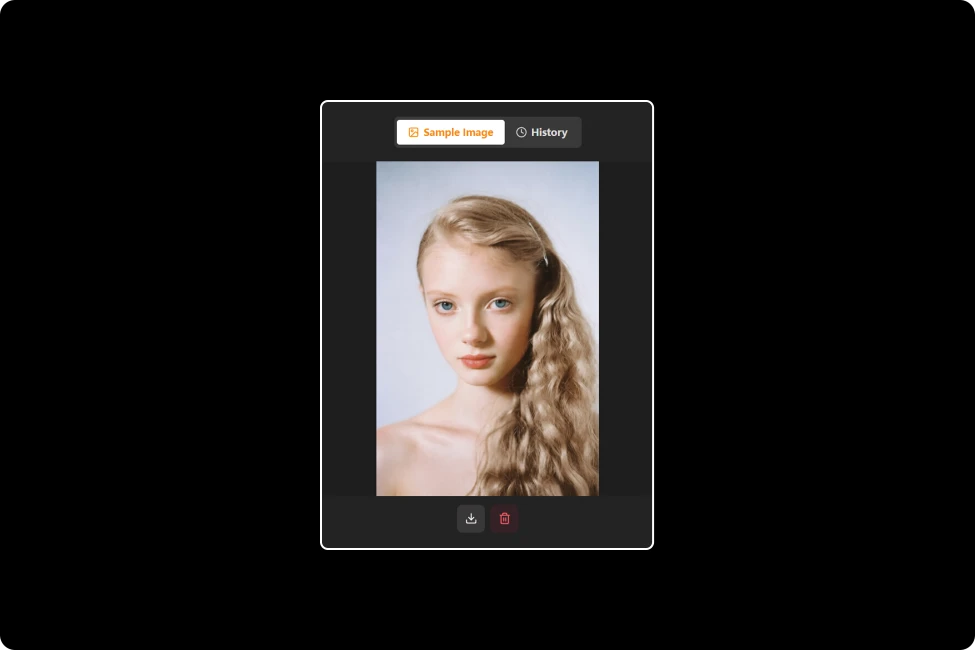
Click Generate to let AI change your hair color while keeping your appearance natural. Preview the result and download your new look in high quality.
Describe the shade you have in mind, from warm honey blonde to cool ash brown or muted rose gold. Your custom prompt lets you change hair color with more control, adjusting the tone and overall look instead of relying only on preset choices.
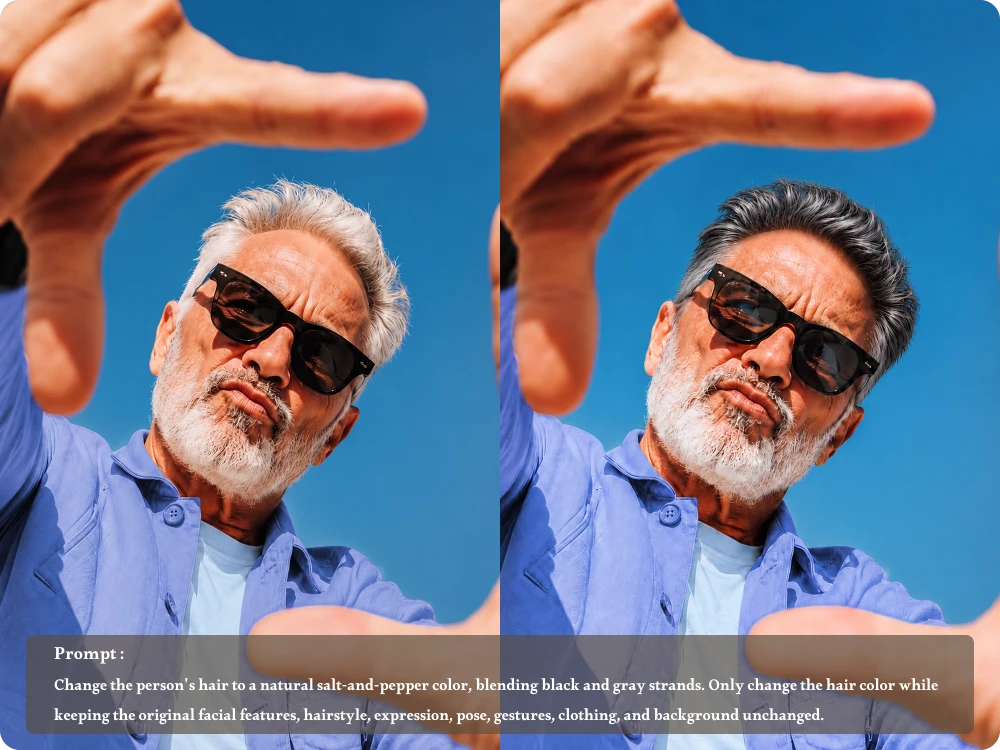
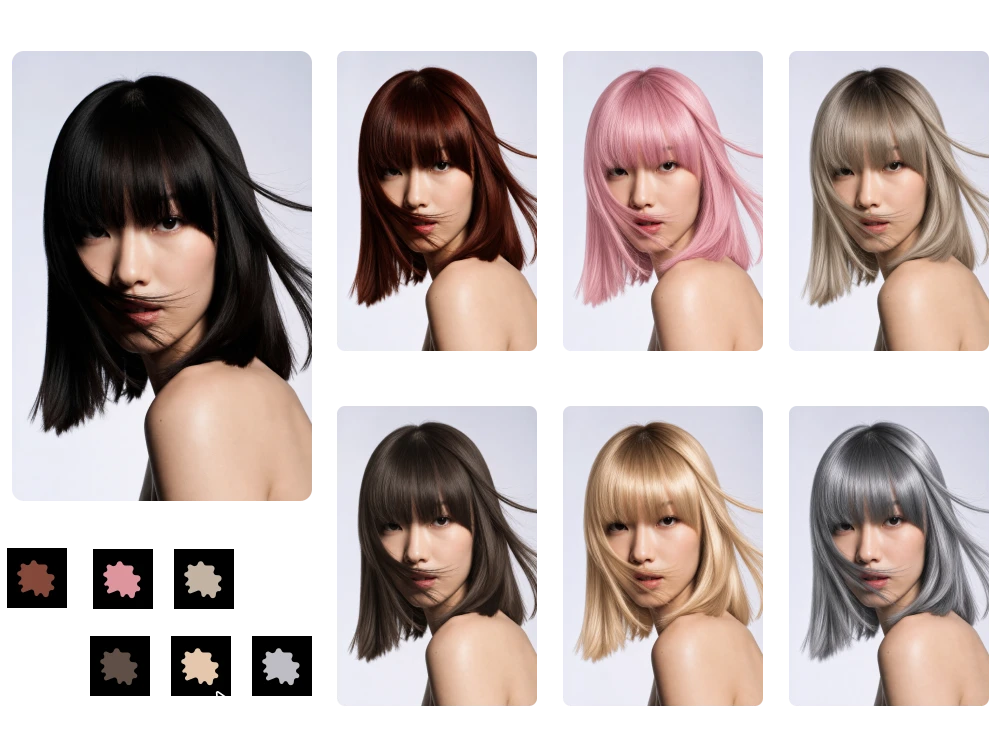
Not sure which shade suits your style? Explore a range of natural and bold options with the Hair Color Filter, then compare looks such as copper, chocolate brown, platinum blonde, or pastel pink on your own photo before making a choice.
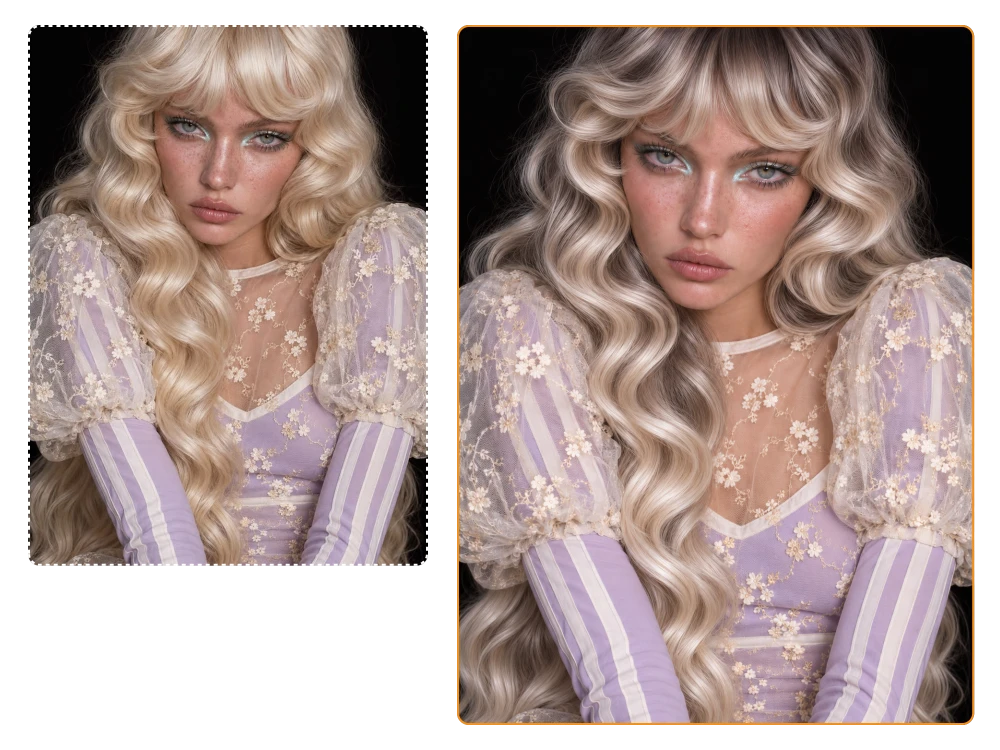
A convincing recolor should look like dyed hair, not a flat layer of paint. Our AI change hair color feature is designed to work with the visible texture, highlights, and shadows in your photo for a more natural-looking preview across different hair types.
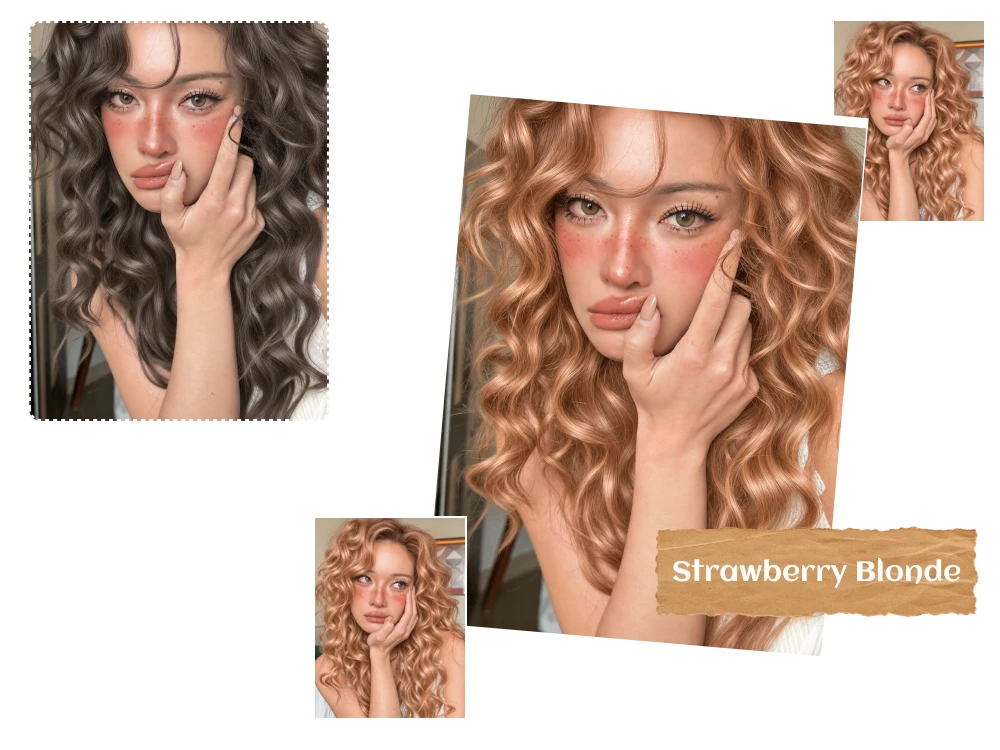
Thinking about a salon appointment but unsure which shade to choose? Use the hair color try on experience to preview different tones on your own portrait, save the versions you prefer, and bring a visual reference to your stylist before making a real change.
"I had a salon appointment coming up but couldn't decide between honey blonde and ash blonde. Using the AI Hair Color Changer, I compared both shades on my photo and showed my stylist exactly what I wanted."
Hair Salon Client
"For an upcoming wedding, I wanted my hair to complement my outfit and makeup. The Free AI Hair Color Changer helped me test warm brown and caramel shades before choosing the final look for my photos."
The Bride
"I needed updated professional headshots and wanted to see how a darker brown shade would look. The change hair color AI tool gave me a quick preview while keeping my portrait looking natural for my LinkedIn profile."
Marketing Consultant
Preview different shades, explore personalized color ideas, and find inspiration for your next salon visit with our free AI Hair Color Changer. Your next look starts with one photo!